Ohio DODD Compliance Operating System
An audit can happen at
any time. Are you ready?
DODD Agency Pro helps Ohio DODD agencies and independent providers maintain compliance by organizing daily tasks, tracking staff training, and managing findings—so you can prepare for your next audit with confidence.
Built for Ohio DODD agency providers — compliance first.
Serving Ohio DODD Providers — HPC · Voc Hab · NMT · Employment Services
30
Compliance Areas Covered
Daily
Guided Work Packages
24/7
Availability
100%
Ohio-Focused
Capabilities
See what needs attention before your next review
Keep the essentials in view, whether you manage compliance yourself or work with a dedicated compliance officer and team.
Staff files & credentials
Keep employee files, required credentials, and staff access organized in one place.
Employees
Keep every employee file organized, complete, and audit-ready. Certification and training date tracking—never miss another renewal. Track required documents, training, compliance scores, credentials, and service assignments in one place.
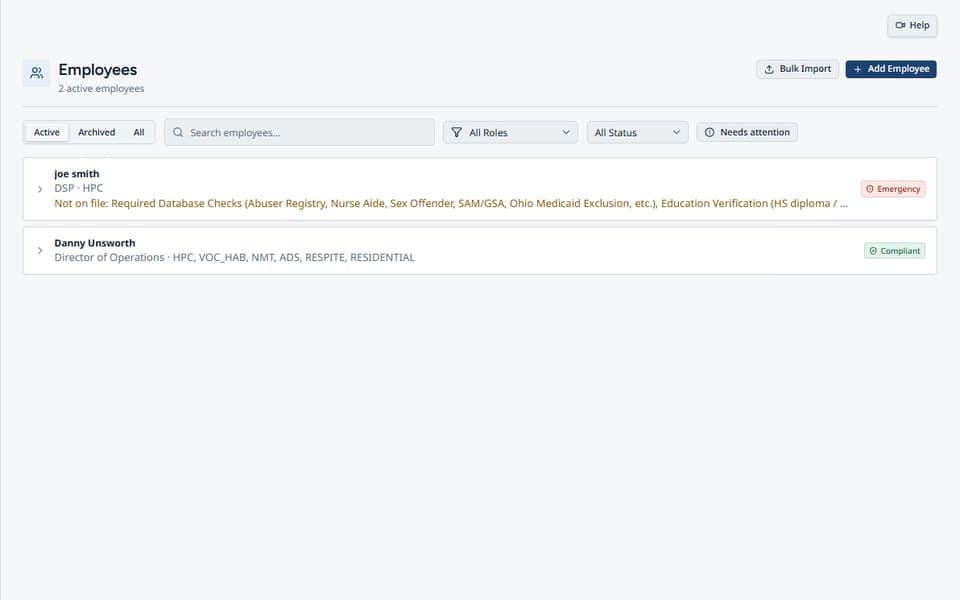
- Staff roster with compliance scores
- Required file & credential checklists
- Certification and training date tracking
- Archive and reinstate employees
- Printable employee check-sheet PDF
- Edit employee services from each card
- Regular-day or PRN NMT Driver scheduling
Dashboard
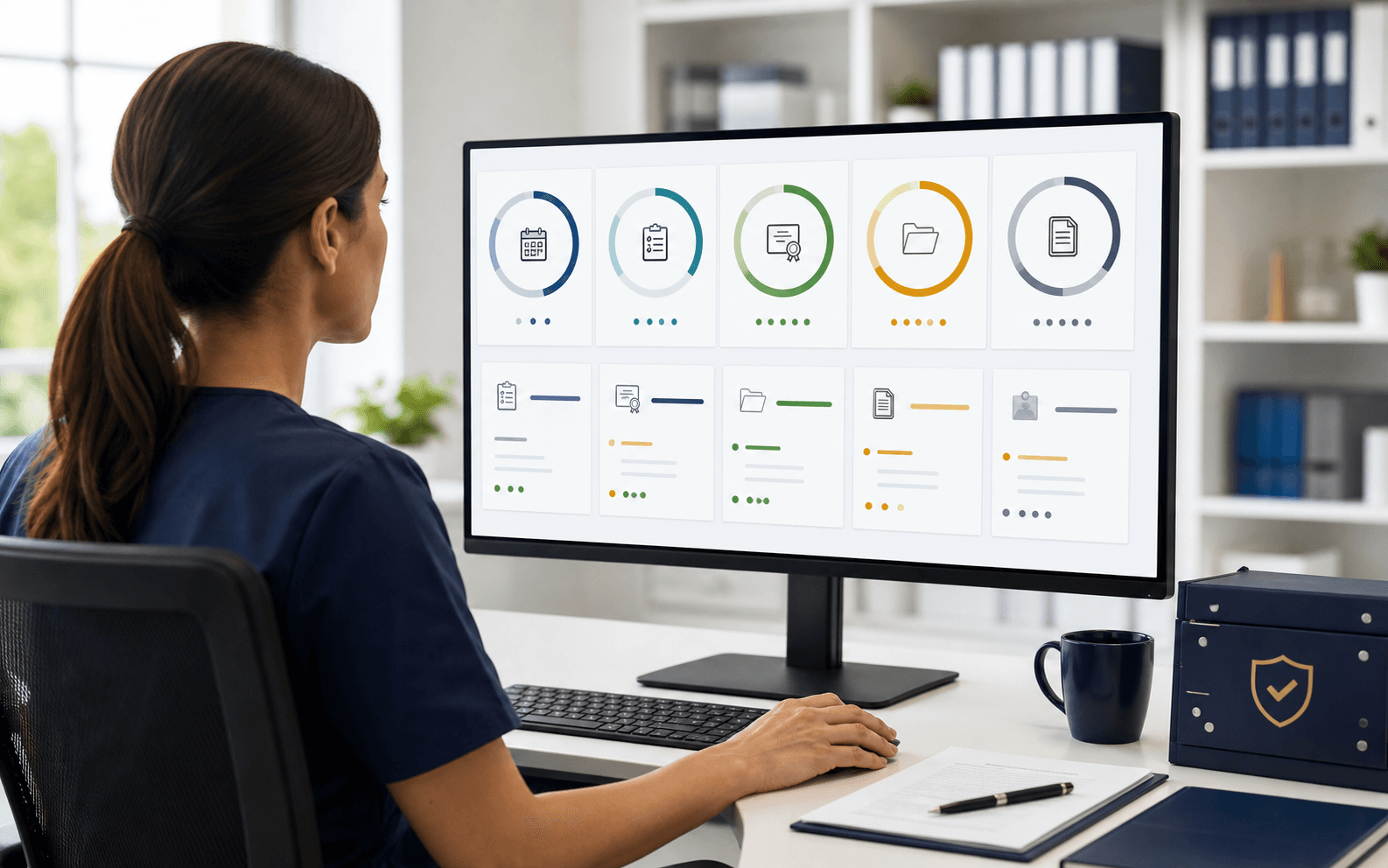
Your morning pulse: overall readiness %, sector breakdown, renewals coming due, and the findings that need attention first. Stop guessing where the agency stands — open one screen and know what to work today.
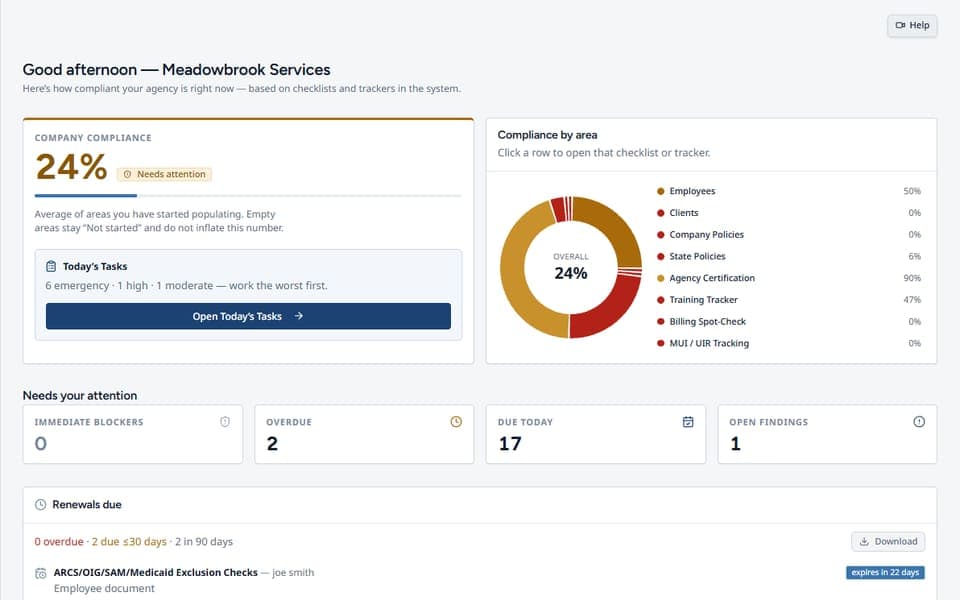
- Overall readiness percentage
- Sector compliance breakdown
- Renewals coming due
- Top-risk open findings
- Quick links into Today's Tasks
- Clear priorities for the day
- One place to see what needs attention
Clients
Keep every client file organized, complete, and audit-ready. Document date tracking—never miss another renewal. Ensure each client has the required documentation for their services, see gaps at a glance, and stay ready for reviews without chasing paperwork or scrambling at the last minute.
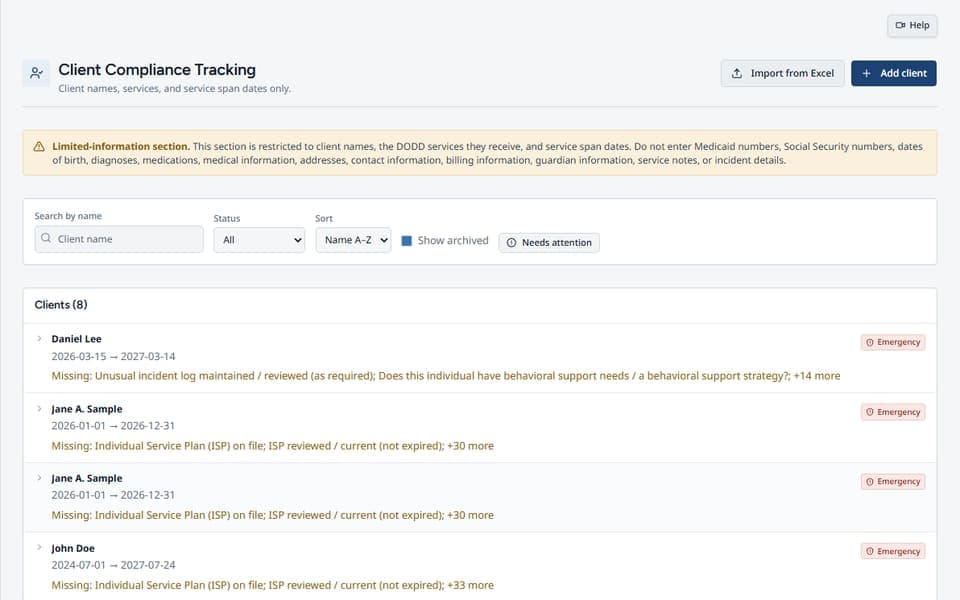
- Client roster and service tracking
- File-compliance checklist
- Document date tracking
- Archive and reinstate
- Needs-attention filters
- Service-driven Day Program visibility
- Targeted company document requirements
Service delivery & operations
Find tools for your services, client-related records, scheduling, and billing checks.
Missing Shift Notes
Document every missing note and every follow-up. Log the client, employee, service, shift, and date; send the first email immediately, repeat a combined reminder daily, record contact attempts, and archive only after verification.
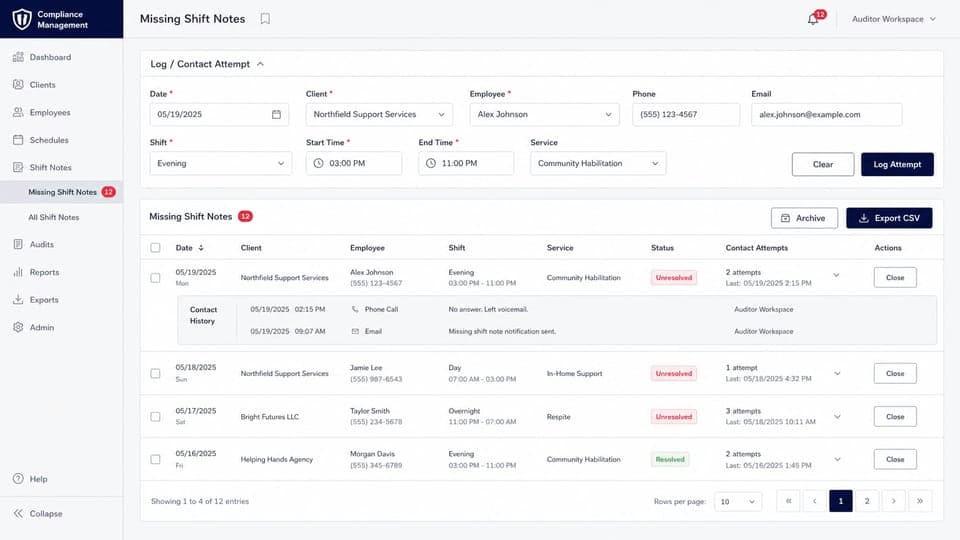
- Required service and shift details
- Employee phone and email auto-fill
- Immediate email when a note is logged
- Combined daily reminders until closed
- Contact-attempt and follow-up history
- Required verification before closure
- Archive filters and CSV export
Rate Finder
Ohio waiver rates, fast: look up billing codes and rates by county, waiver, and provider type from stored rate tables. Search codes/services, see unit and source, and open verification links — without digging through rate PDFs at 11pm.
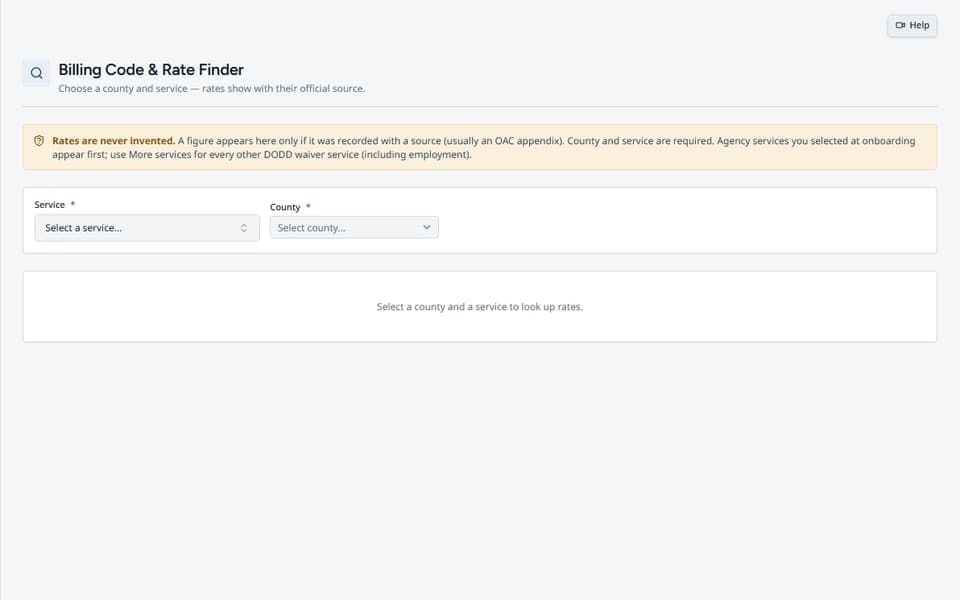
- Ohio waiver code & rate lookup
- Filter by county / waiver / type
- Unit, rate, and source fields
- Search by code or service
- Open verification source URLs
- County-specific rate results
- Stored source-table references
Appointment Calendar
Keep every client medical and other appointment organized, complete with automatic 24-hour reminder notifications. Use month and week views, assign staff and appointment types, filter by client, edit or cancel appointments, and print day, week, month, or client schedules—all inside your compliance workspace.
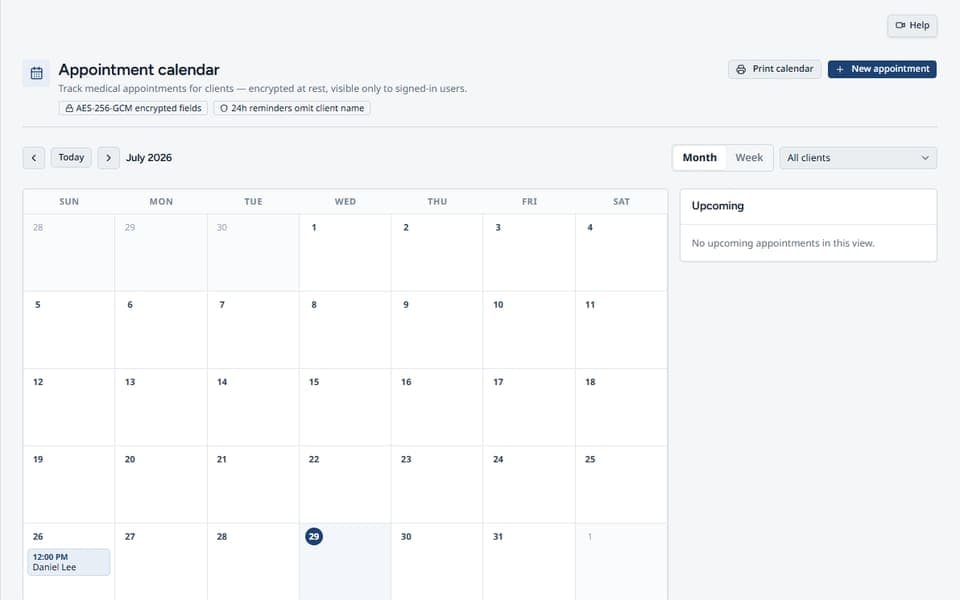
- Month and week calendar views
- Create / edit / cancel appointments
- Staff assignee & appointment type
- Filter by client
- Print month / week / day / client lists
- Automatic 24-hour reminder emails
- Central compliance-workspace schedule
Billing Spot-Check
Weekly sampling discipline: up to six clients, units billed vs. shift-note match (or Not served), due Friday 5pm ET. Rotate through clients without repeats until the cycle completes — and download the PDF when you need proof the check happened.
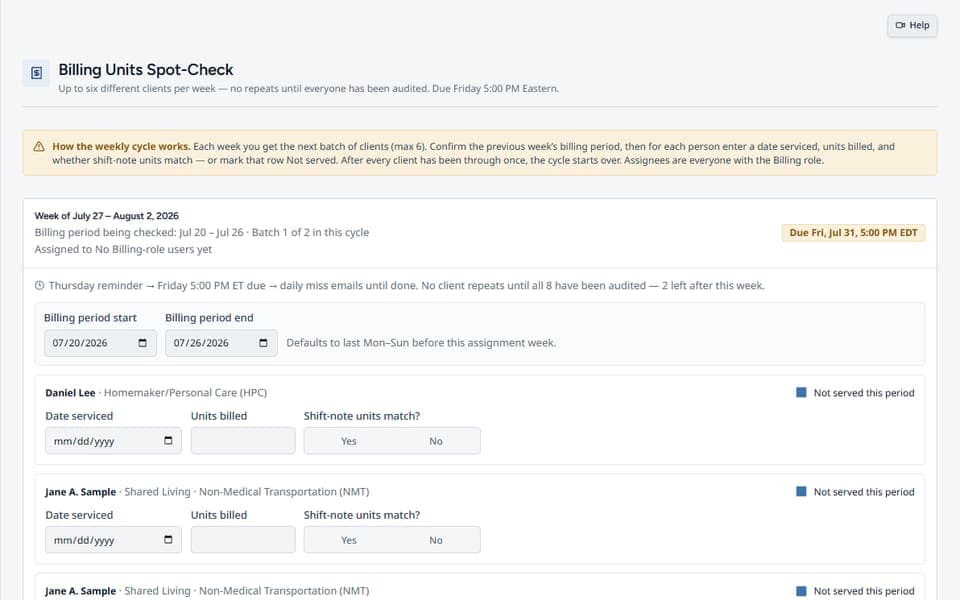
- Weekly sample of up to 6 clients
- Units billed vs. shift-note match
- Friday 5pm ET due cadence
- No-repeat client rotation
- Billing Spot-Check PDF
- Not-served status when applicable
- Documented weekly review history
Non-Medical Transportation
Daily driver accountability from schedule to archive. Mark employees as regular or PRN NMT Drivers, complete the matching vehicle-type inspection, flag missed scheduled sheets, and retain detailed printable inspection history.
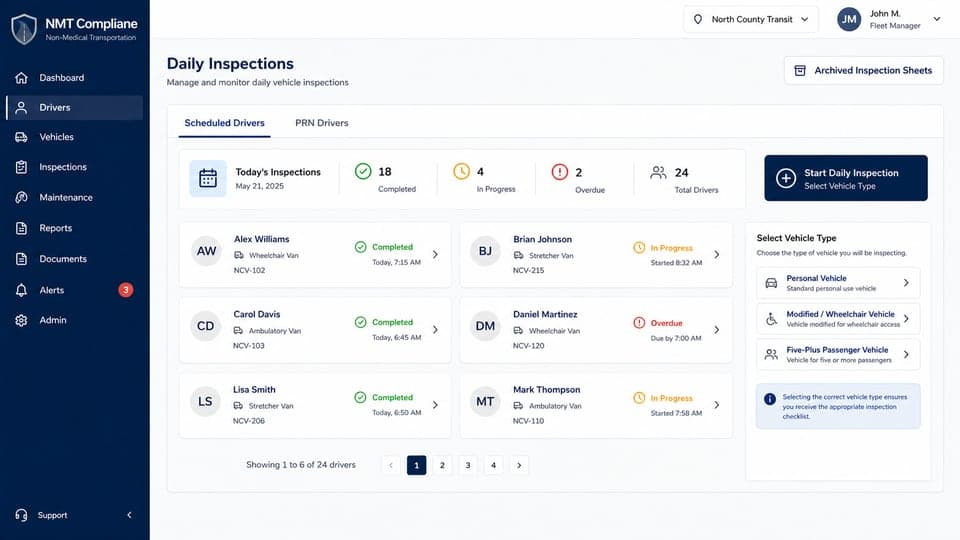
- Regular-day NMT Driver schedules
- PRN / as-needed driver workflow
- Personal vehicle inspection checksheet
- Modified / wheelchair vehicle checksheet
- Five-plus passenger vehicle checksheet
- Missed inspection alerts and tasks
- Branded archive reports by date and driver
Portal Referral Sales Pipeline
Turn every portal expression of interest into a tracked opportunity—and never let a promising lead go cold. Capture limited referral details, assign ownership, schedule the next follow-up, and track every contact and stage decision. Keep prospects moving toward enrollment without mixing them into active client records.
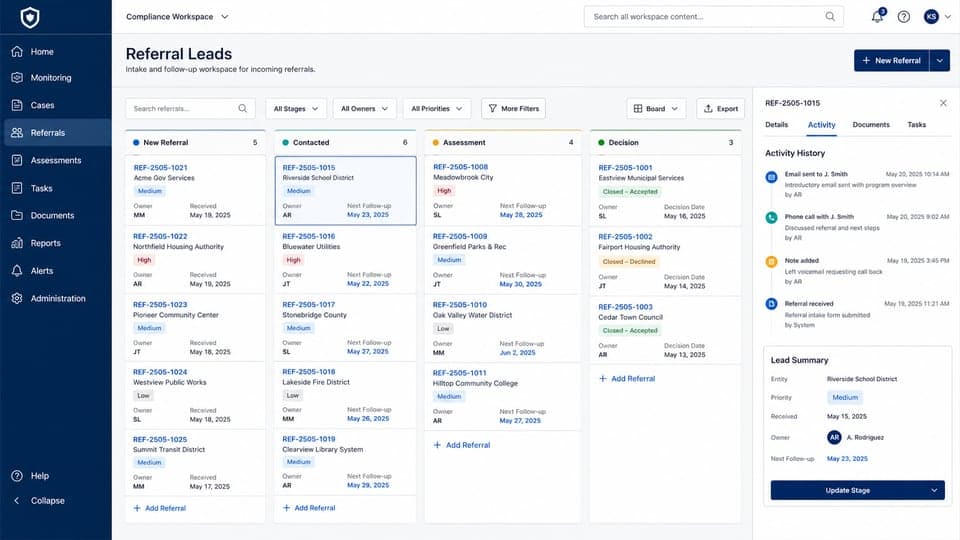
- Limited referral contact details
- Stage and ownership tracking
- Next follow-up dates
- Contact and activity history
- Search and stage filters
- CSV export for referral records
- Printable referral pipeline report
MUI Logging
MUI logging with monthly reminders. Log major unusual incidents by county with categories and forms — plus monthly MUI logging reminders so the review cadence doesn't slip. Keep the log current without rebuilding it from memory at month-end.
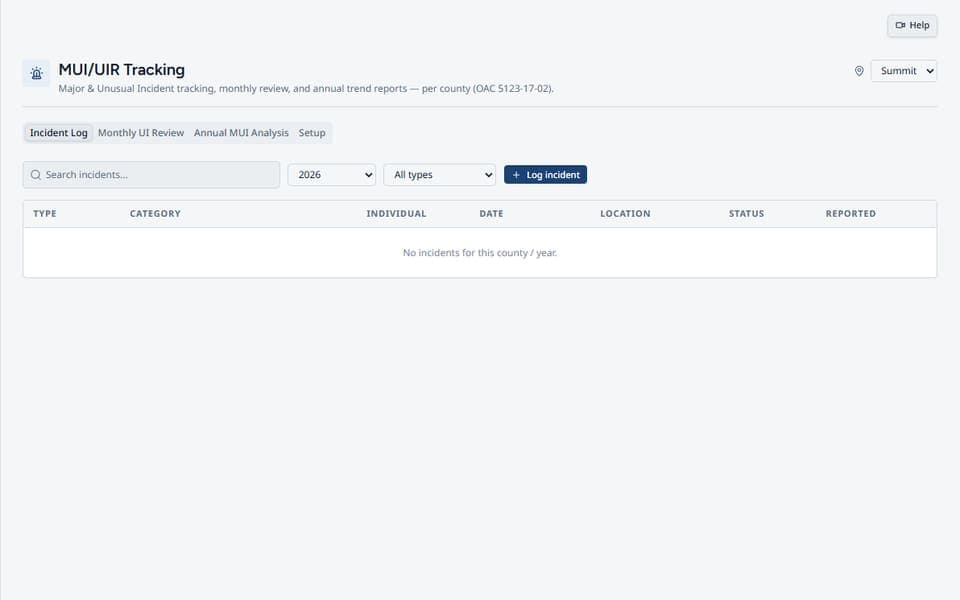
- MUI incident logging by county
- Categories & incident forms
- Monthly MUI logging reminders
- Monthly review workflow
- Log & trend PDF exports
- County and category tracking
- Documented incident review history
Day Program
ADS and Voc Hab compliance, separated from every other service. Day Program staff see service-scoped client cards, completion meters, required documents, due dates, rule links, and full records without exposing HPC or unrelated departments.
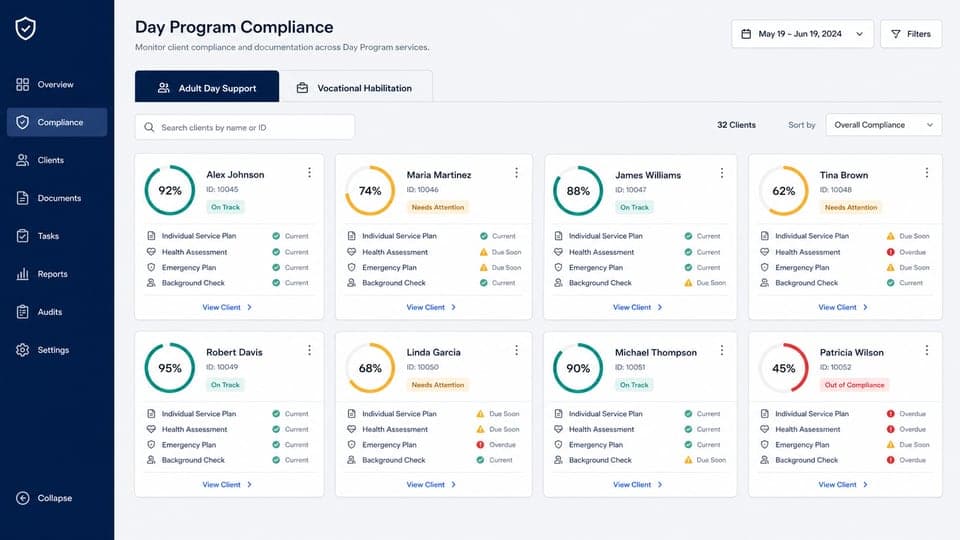
- Adult Day Support client view
- Vocational Habilitation client view
- Service-scoped client cards
- Compliance meters and required documents
- Reviewed dates and due-date controls
- Direct links to applicable Ohio rules
- Dedicated Day Program access right
Divisions & Services
Configure the services your organization is authorized to provideThose selections determine which service tools, client options, checklist requirements, and recurring compliance work apply throughout the platform.

- Agency and independent-provider service selection
- Service-driven workspace tools
- Matching client service options
- Applicable employee and client requirements
- Recurring work based on active services
- Central service configuration
- Updates reflected across the workspace
Training & renewal due dates
See missing, due soon, and overdue training. Track completion dates and upcoming credential renewals.
Training Tracker
Track every employee's training dates in one place, with reminders before requirements expire. See current, due soon, overdue, and missing status at a glance. Record completions, filter by risk, review each employee's history, and download a staff training compliance PDF—so your team stays prepared and audit-ready.
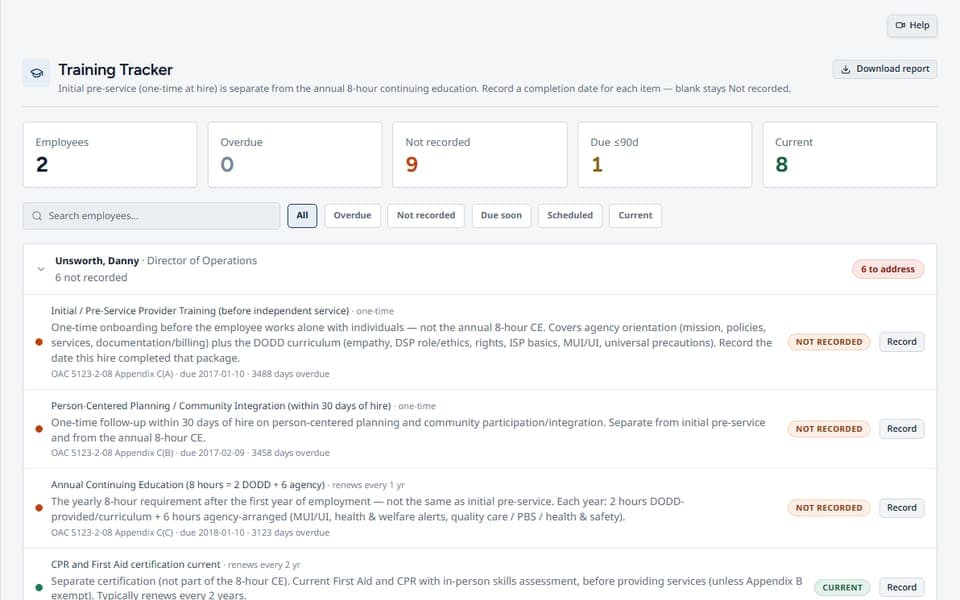
- Per-employee training matrix
- Overdue / due soon / missing filters
- Record completion dates
- Renewal reminders before expiration
- Staff training compliance PDF
- Risk-focused staff filters
- Completion history by employee
Renewal Intervals
Control how long recurring requirements stay currentReview the default cadence for each item, apply an approved organization-specific interval, or stop the countdown where an item genuinely does not expire.
- Catalog-based default intervals
- Organization-specific renewal settings
- Training and credential cadences
- Document review intervals
- Expiring and expired status calculations
- Non-expiring treatment where appropriate
- Saved settings used across compliance views
Agency Certification
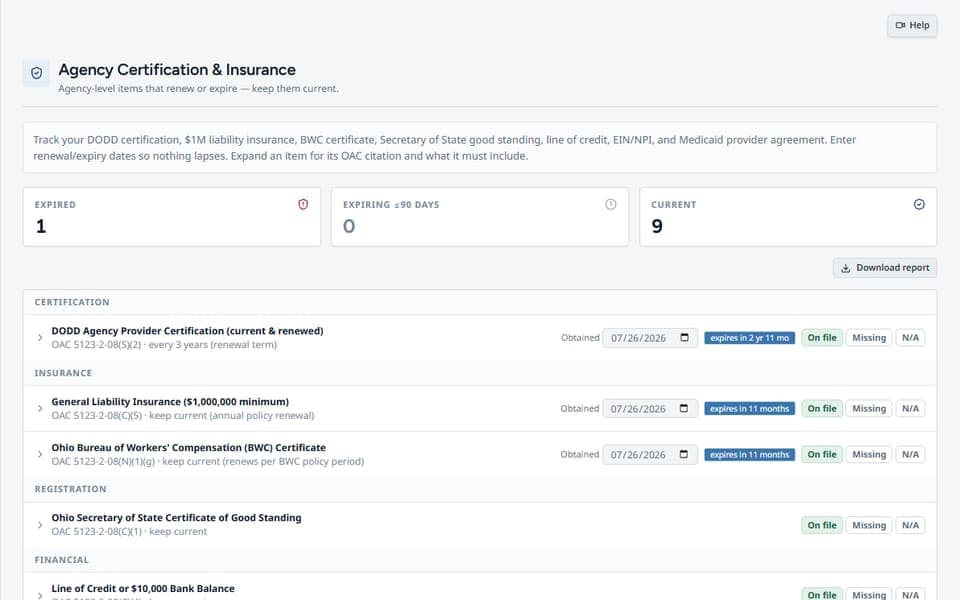
Agency renewables in one place: DODD cert, liability insurance, BWC, SOS good standing, LOC, EIN/NPI, Medicaid agreement, and more. Mark on-file, missing, or N/A with expiry dates — so renewals stop living in someone's inbox.
- DODD cert & insurance tracking
- BWC, SOS, LOC, EIN/NPI items
- Medicaid agreement status
- On-file / missing / N/A with expiries
- OAC guidance per item
- Renewal dates and status alerts
- Central agency credential record
Audit preparation & records
Review readiness, organize supporting records, and produce training, findings, and audit packet PDFs.
Reports
The PDFs reviewers expect: compliance, findings, policies, agency cert, training, renewals, plus a master audit packet. Jump into Scorecard, Audit Prep, Overview, and Performance without hunting shared drives.
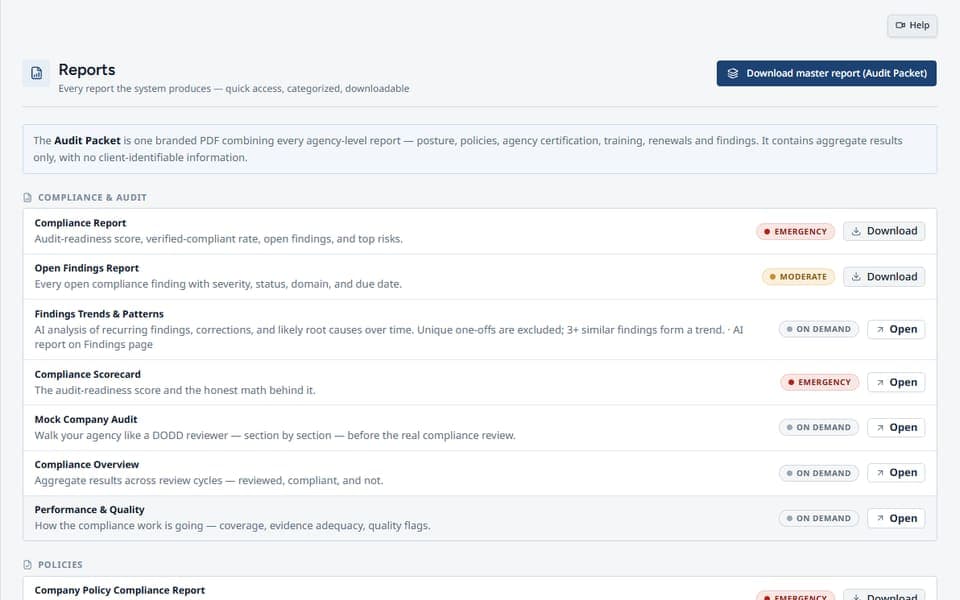
- Compliance, findings, policy PDFs
- Agency cert & training reports
- Renewals report
- Master audit packet
- Scorecard, Audit Prep, Performance links
- NMT inspection archive reports
- Branded, print-ready output
Documents Where You Need Them
Agency-controlled uploadsKeep evidence with the requirement: attach documents or save external links inside employee and client requirement cards, so your team can find the supporting record while reviewing the item.
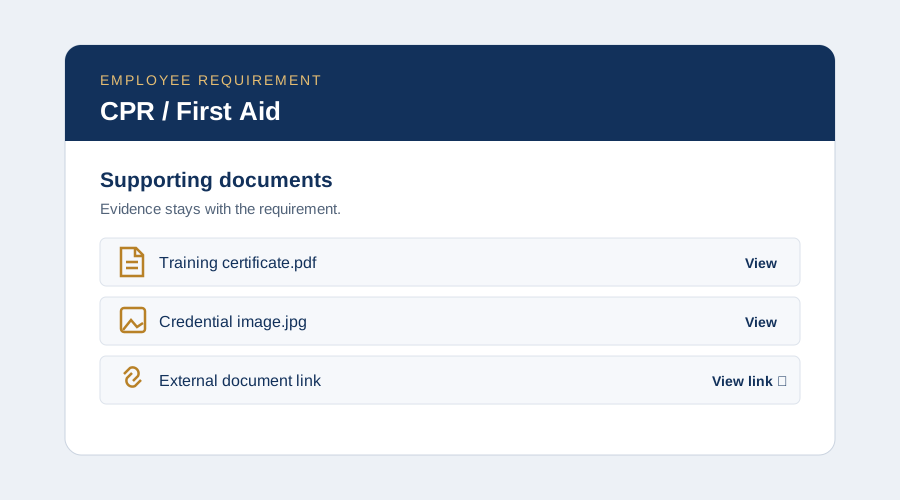
- PDF, JPEG and PNG documents
- 5 MB per file; 25 MB of active files per card
- Multiple documents and external links
- In-app viewing and permitted replacement or deletion
- Company Admin activation and agency access controls
- Evidence stays separate from compliance completion
Mock Audits
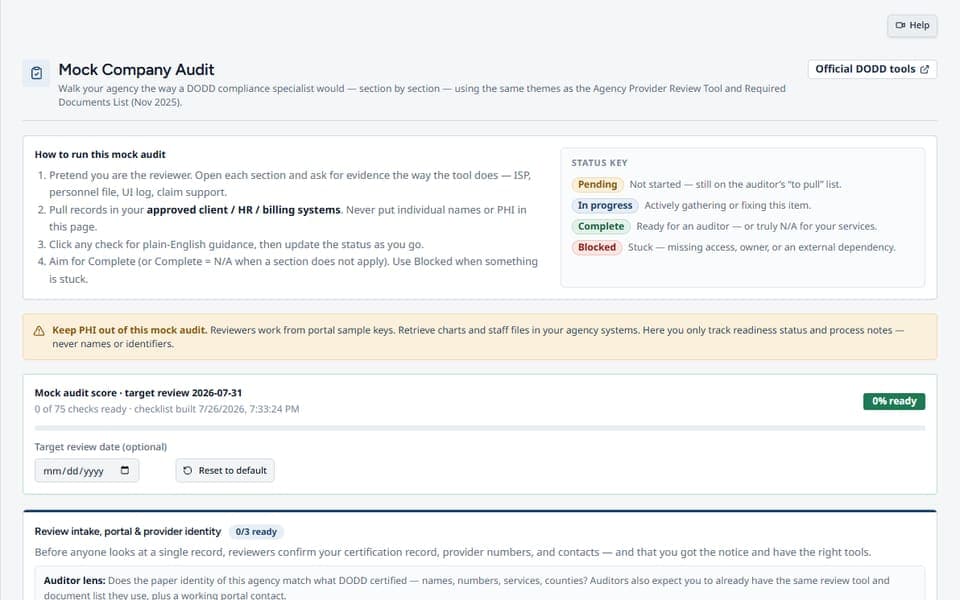
Is your audit coming up soon? Give yourself a mock audit by the same standards as the state auditors would audit you. Walk Agency Review Tool themes, assign someone in your company to run the checklist, mark Complete or Blocked as you go, and see a readiness score — so you know where you're weak and what to fix before the real review day.
- Assign an internal auditor
- See where you're weak
- Know what to fix
- Score before audit day
- Complete or Blocked progress status
- Agency Review Tool-aligned themes
- Readiness history for follow-up
Compliance Review
Put recurring reviews on a real schedule. Compliance Officers set monthly, quarterly, and annual review dates; those dates drive reminders, overdue status, sign-off, and the next review cycle.
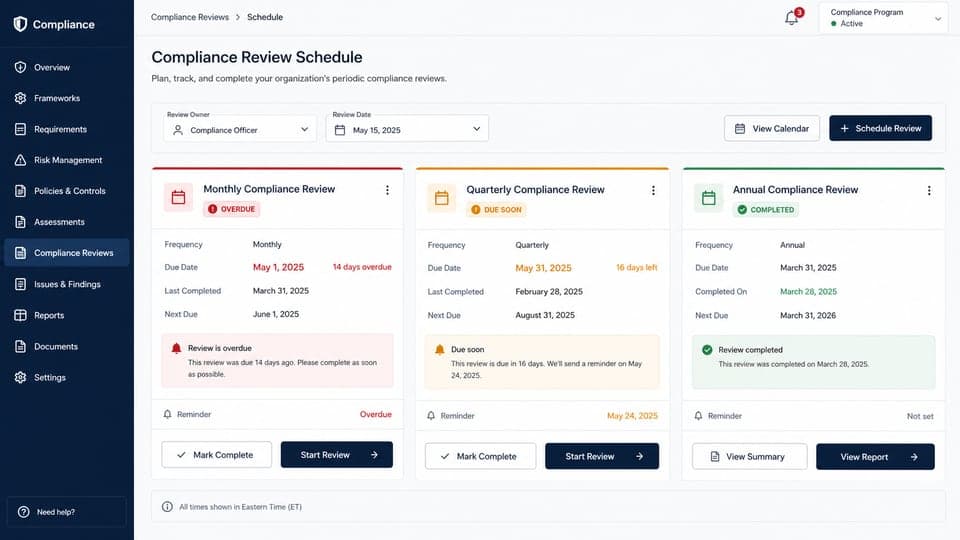
- Monthly compliance review dates
- Quarterly compliance review dates
- Annual compliance review dates
- Compliance Officer date controls
- Reminder emails from saved dates
- Overdue status at a glance
- Sign-off advances the next cycle
Company Documentation
Make agency-created requirements follow the right clients. Create client document requirements and target them to all clients, selected services, or one specific client. Scope changes update matching records without appearing in unrelated folders.
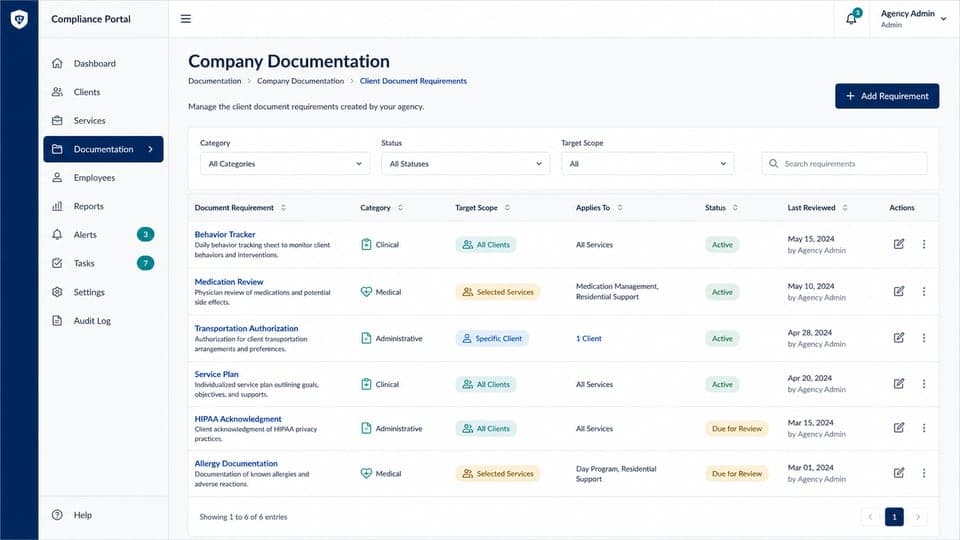
- Agency-created client requirements
- Target every active client
- Target selected services only
- Target one specific client
- Immediate scope updates across records
- On-file and reviewed-date tracking
- Visible in matching Day Program records
Company Policies
The DODD written-policy checklist with review dates, OAC citations, and branded Word templates. Mark present, needs update, or missing — then download a policy compliance PDF you can actually hand someone.
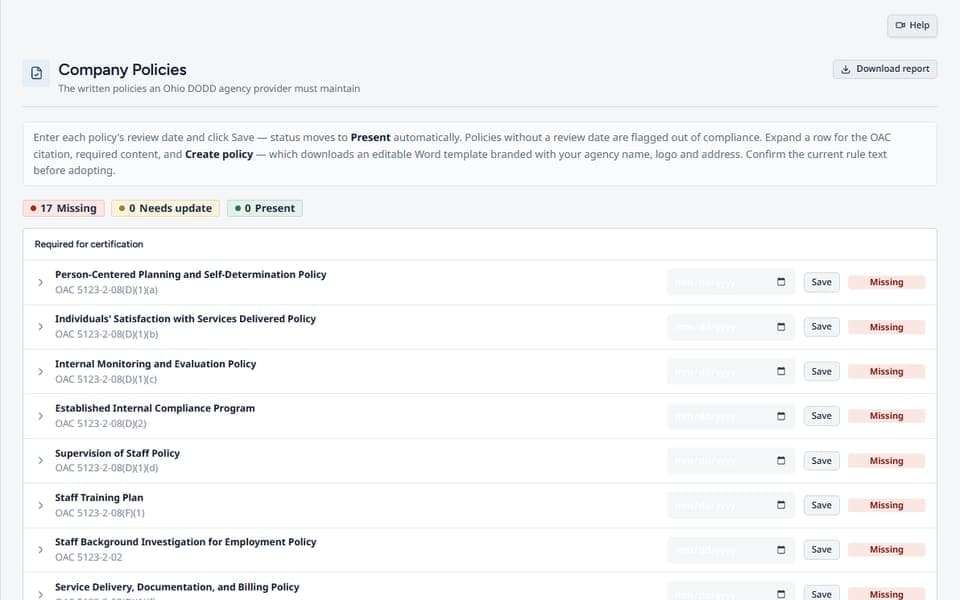
- DODD written-policy checklist
- Review dates & OAC citations
- Branded Word templates
- Present / needs-update / missing status
- Policy compliance PDF export
- Reviewed-date tracking
- Requirement-level guidance
State Policies
Employer-law policies and postings — separate from provider certification so nothing gets mixed into the wrong binder. Track status, pull official posters where linked, and export a State Policy & Postings PDF.
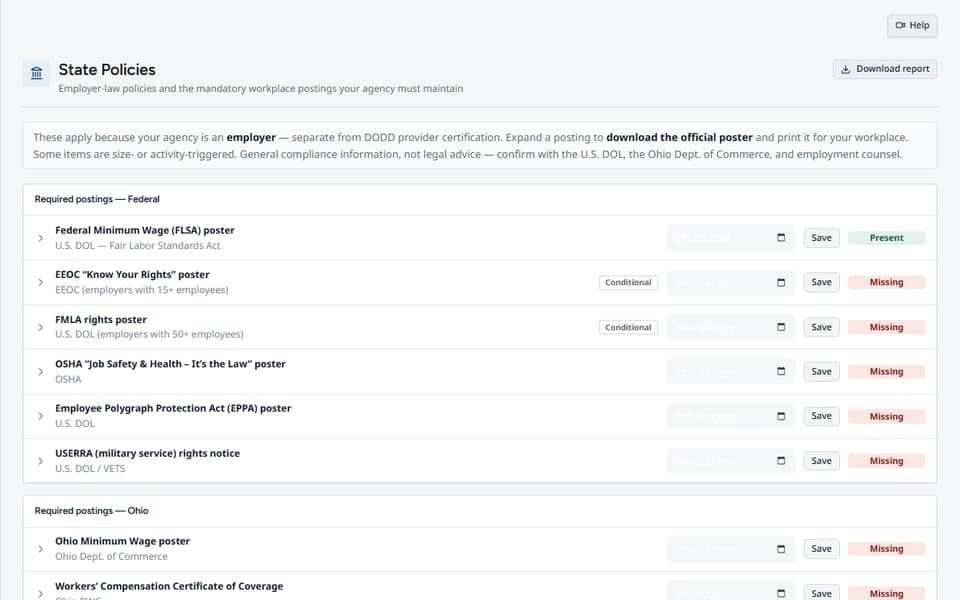
- Employer-law policy checklist
- Mandatory workplace postings
- Official poster downloads
- Status tracking by item
- State Policy & Postings PDF
- Separate from provider certification
- Review dates for each requirement
Findings, owners & deadlines
Assign a responsible person and due date, document corrective actions, and follow findings through closure.
Findings
Closed-loop CAP board: severity, responsible person, due date, immediate actions, documented fixes, authenticated confirmation, and a durable closure history. Filter active or closed findings and produce a polished PDF record when leadership asks "show me."
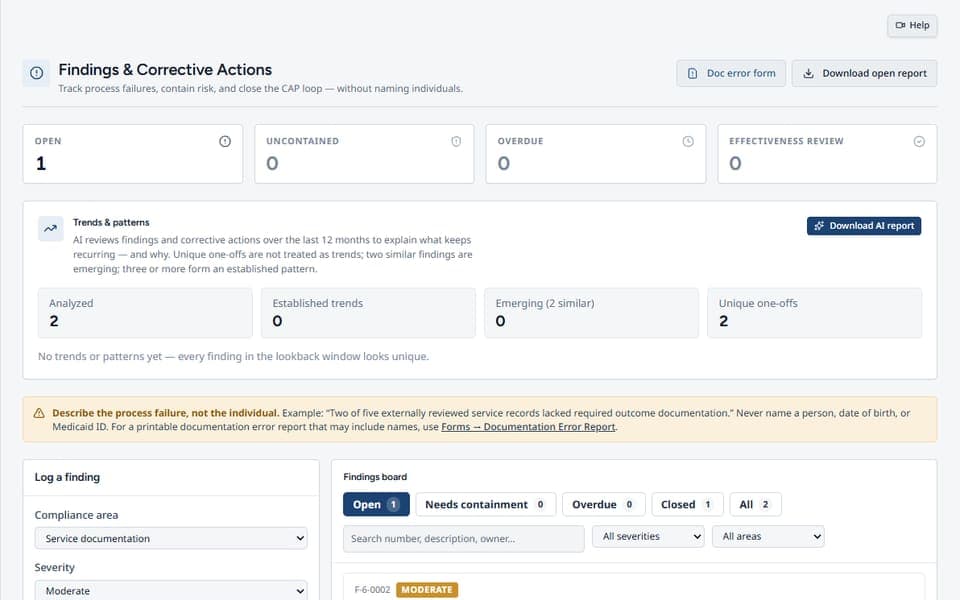
- Severity, responsible person, and due date
- Immediate correction documentation
- Cause and fix details
- Authenticated fixed-and-close confirmation
- Professional finding PDF records
- Active and closed finding views
- Durable action and closure history
Today's Tasks
A generated daily work package — prioritized review items with the requirement, why it matters, and what evidence to check. Answer verified, noncompliant, N/A, unable to verify, or needs expert review. Failures don't vanish into a sticky note; they become findings.
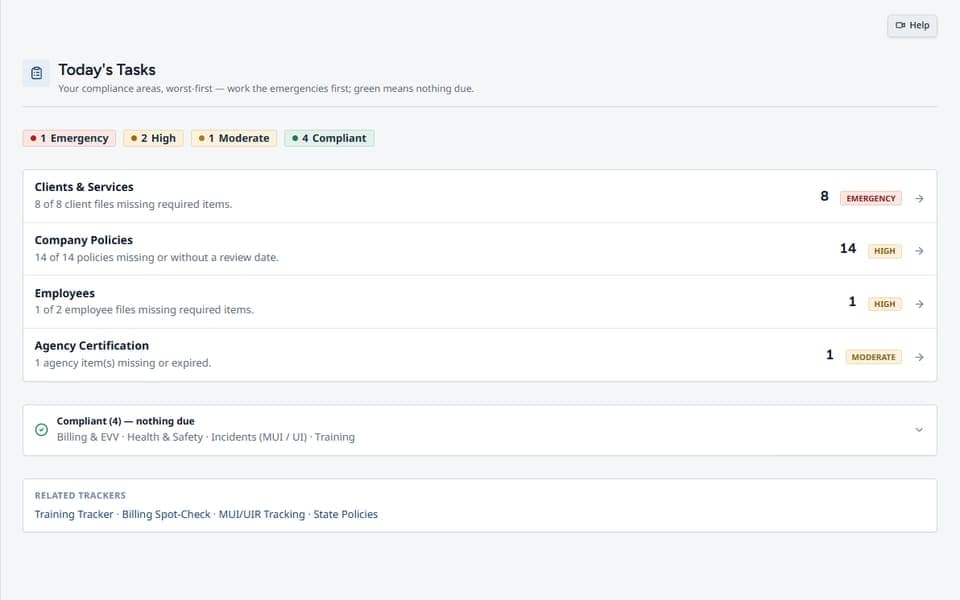
- Auto-generated daily work package
- Prioritized review items with evidence prompts
- Verified / noncompliant / N/A determinations
- Failures become tracked findings
- Links into Training, Billing, MUI logging, Policies
- Due and overdue work kept visible
- Direct links to the record being reviewed
Assignments & Staff Work Review
Set responsibility, then see the work each person actually ownsAdministrators can establish recurring coverage, review individual workloads, see active assigned findings beside other tasks, open the source record, and follow shared updates without mixing one person’s work into another’s.

- Recurring responsibility coverage
- Staff-by-staff workload review
- Assigned findings shown with other active tasks
- Per-person task scoping
- Source-record links for review
- Shared task updates and note threads
- Completion progress by compliance area
Users & Invites
Give platform access only to the people and tools you chooseInvite organization users, assign feature permissions, update pending or active access, revoke unused invitations, and remove access centrally instead of managing it from employee records.

- Central user invitation workflow
- Feature-level access permissions
- Pending invite management
- Edit active-user permissions
- Revoke unused invitations
- Remove platform access
- Separate employee records from user access
Team Messages
Keep agency conversations inside the workspaceStart direct or group conversations with active platform members, manage participants, see unread activity, and continue the discussion without confusing team messages with Ask Cody.

- Direct conversations with platform users
- Named group conversations
- Participant management
- Unread message count in navigation
- Typing indicators
- Conversation history
- Separate from the Ask Cody assistant
End-of-Day Certification
Close the day with an attestation: a summary and signed confirmation that the work was accurate, nothing was hidden, and immediate risks were escalated. Management gets a real record that compliance work is actually being done — not assumed.
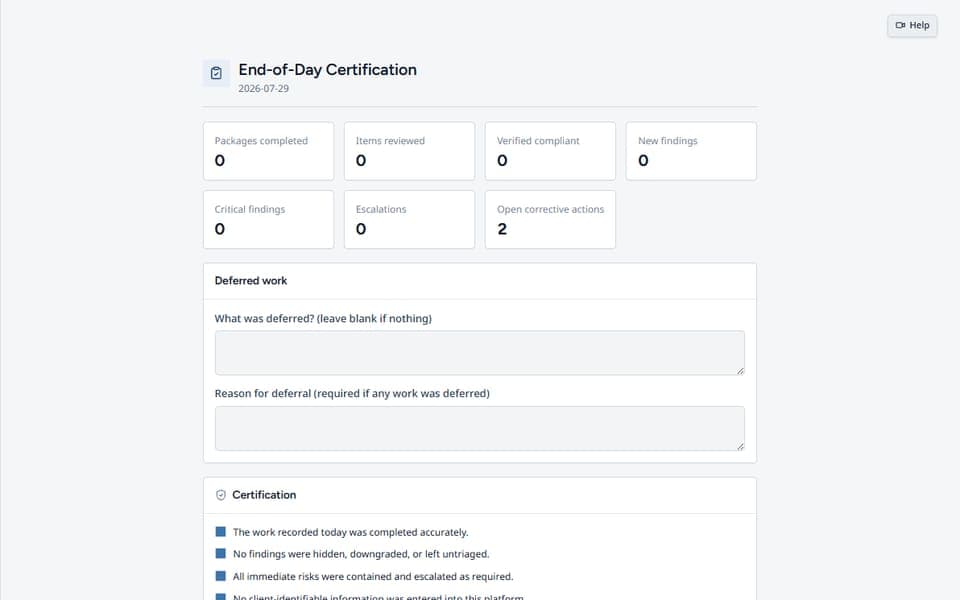
- Daily summary of work completed
- Signed attestation
- Escalation confirmation
- Management-visible record
- Accountability for the day closed
- Signed close-of-day history
- Unresolved-risk confirmation
Guidance, setup & support
Set up your workspace, find source-linked guidance, and get help for your agency or independent practice.
Personalized Onboarding
Start with a real DODD Agency Pro team member by your side. We help configure your account, organize your team, and show you where to begin so you can start getting value from the platform on day one.

- Guided account setup
- Help organizing your team
- A practical walkthrough of where to begin
- Build confidence from day one
- Spend less time figuring things out alone
- Tailored support for your agency's goals
- A smoother start for your whole team
Onboarding Setup Center
A permanent setup hub that reflects real saved progress. Agency and independent-provider paths show the next required step, explain exactly what remains, link directly to each setup page, and stay available for ongoing management after setup is complete.

- Agency and independent-provider setup paths
- Progress derived from existing saved records
- Clear completed, in-progress, and not-started states
- Direct View / Edit links for every setup area
- Video Help acknowledgement and optional live training
- Dashboard unlock after required setup is complete
- Permanent Manage links after onboarding
Rules in Effect / Updates
Rules in effect, plus updates when something changes. Browse the indexed table, open official sources, watch the rules that matter to your agency, and clear the pending-update queue — so you find out about a change here, not during an inspection.
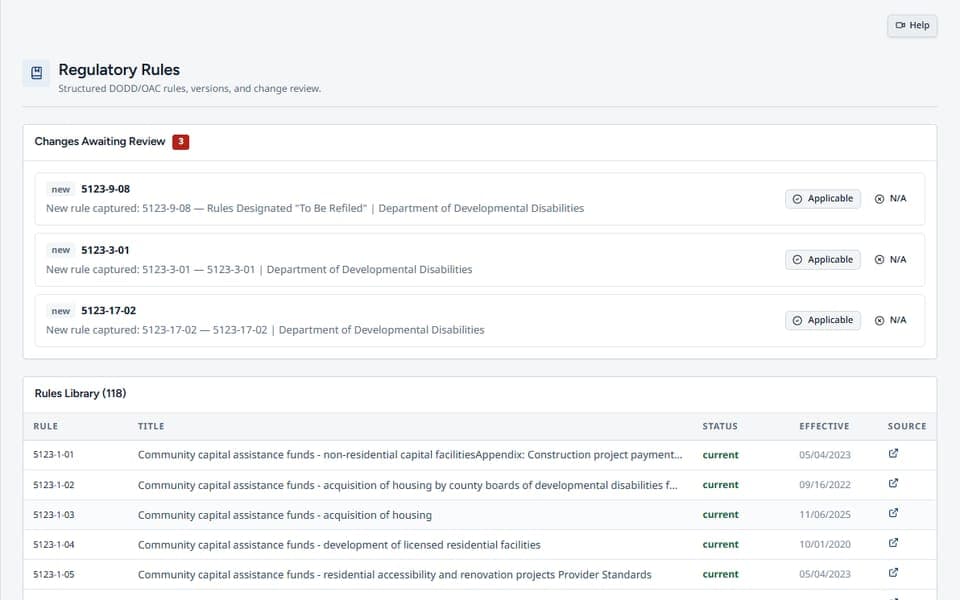
- Rules currently in effect
- Pending updates queue
- Rule watchlist
- Links to official sources
- Mark updates reviewed / applicable
- Indexed rule search
- Agency-specific update tracking
Service Navigator
Per-service compliance profiles: rules, qualifications, training, docs, billing, EVV, common findings, and audit tests. Switch service tabs and jump straight into Today's Tasks or Rate Finder when you're scoping an area.
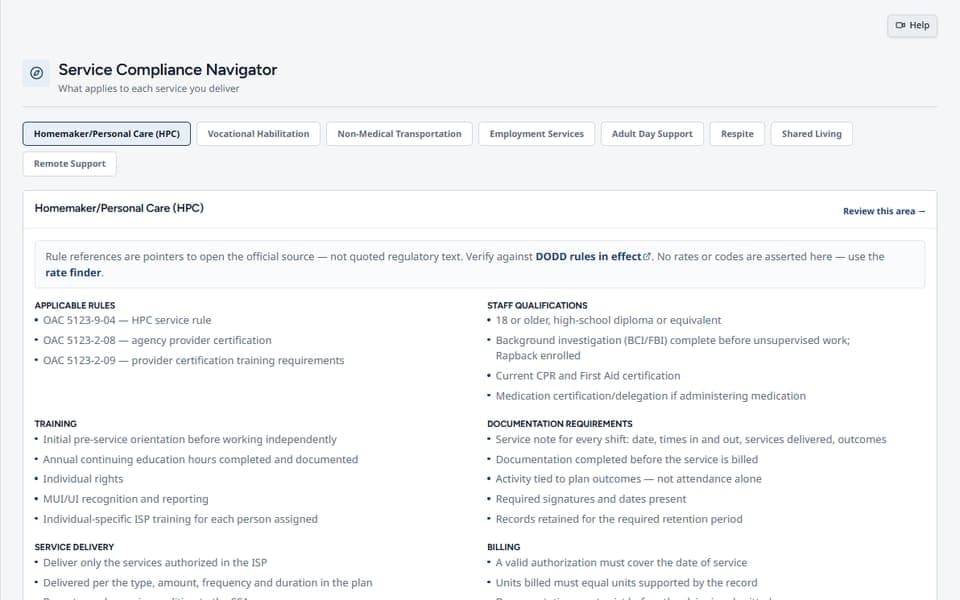
- Per-service compliance profiles
- Rules, quals, training, docs
- Billing & EVV pointers
- Common findings & audit tests
- Jump to Today's Tasks / Rate Finder
- Qualifications and training guidance
- Service-specific documentation pointers
Forms
Fillable DODD and agency forms: templates by category, custom forms, saved folders, uploads, and PDF export. Stop hunting the shared drive for "the current blank" — keep the working set in one place.
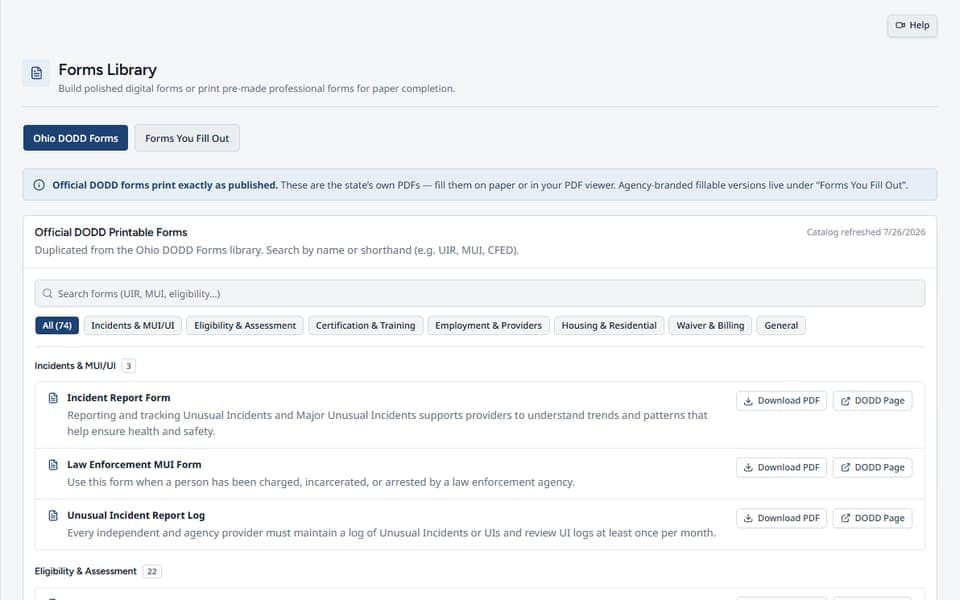
- Fillable DODD / agency templates
- Custom form builder
- Folders for saved forms
- Upload existing forms
- Print / PDF export
- Category-based template browsing
- Reusable agency working set
Ask Cody
AI answers you can verify — grounded in indexed DODD/regulatory material, with sessions, citations, and source links. Open the persistent in-page chat from the top Ask Cody button, verify the answer, and keep your place while you work.
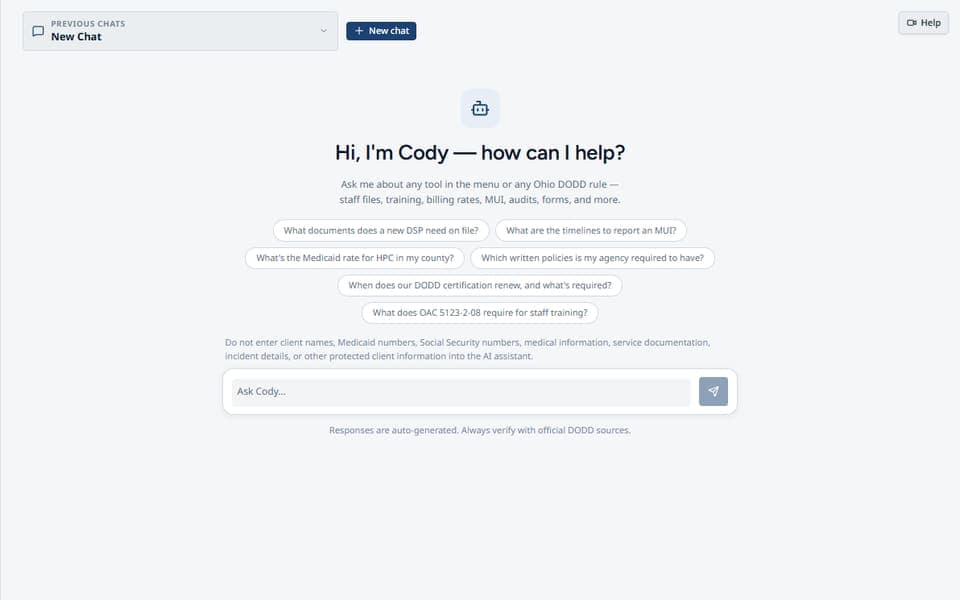
- AI answers from indexed DODD sources
- Citations & source links
- Saved chat sessions
- Copy answers into your workflow
- Uncertainty called out — not guessed past
- Top-button access from the workspace
- Chat retained when minimized
Support & Help Center
One place for tickets, how-to guidance, training, and live assistanceSubmit a support ticket, browse page-specific walkthrough videos, request optional live training, or open the familiar Ask Cody panel without leaving the support workflow.

- Existing support-ticket workflow
- Feature Request and Bug Report categories
- Page-specific how-to video library
- Searchable walkthrough guidance
- Optional live training calendar
- Live Chat / Ask Cody access
- Context-aware Help links from dashboard pages
Regulatory Briefing
Keep up to date with new rules, regulations, and DODD announcements. Review detected changes in one organized inbox, see what's unread, open the official source, and acknowledge each item as it's handled—turning regulatory monitoring into a clear, trackable workflow.
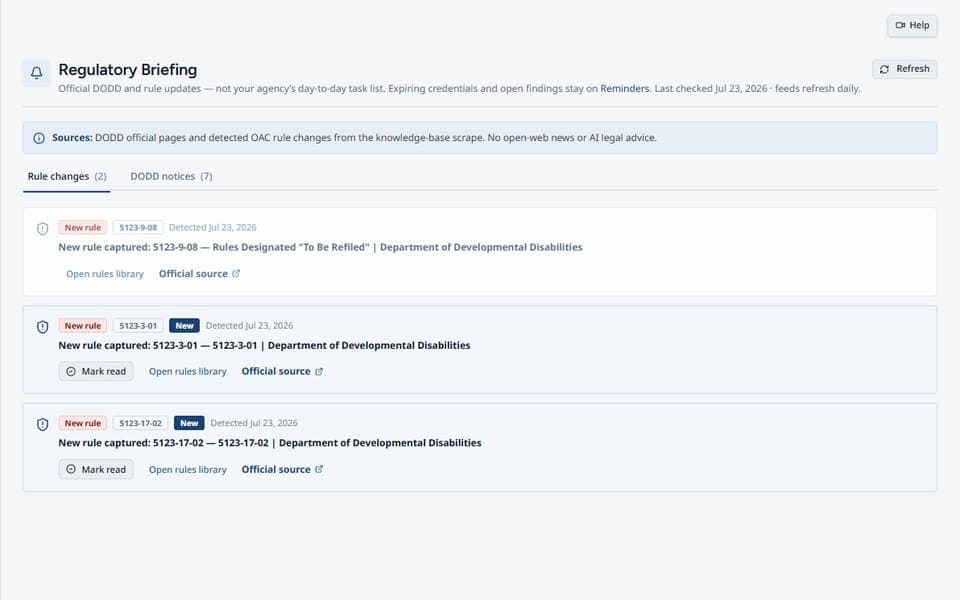
- Rule-change & announcement inbox
- Unread badge on the sidebar
- Acknowledge as read
- Refresh harvested updates
- Open official source links
- Tracked review state
- Agency-visible update history
Agency Setup & Access
Control who can do what before the first work package runs. Company Profile, renewal overrides, Users & Invites, separate Day Program and Non-Medical Transportation access rights, support, security, and billing stay under agency control.
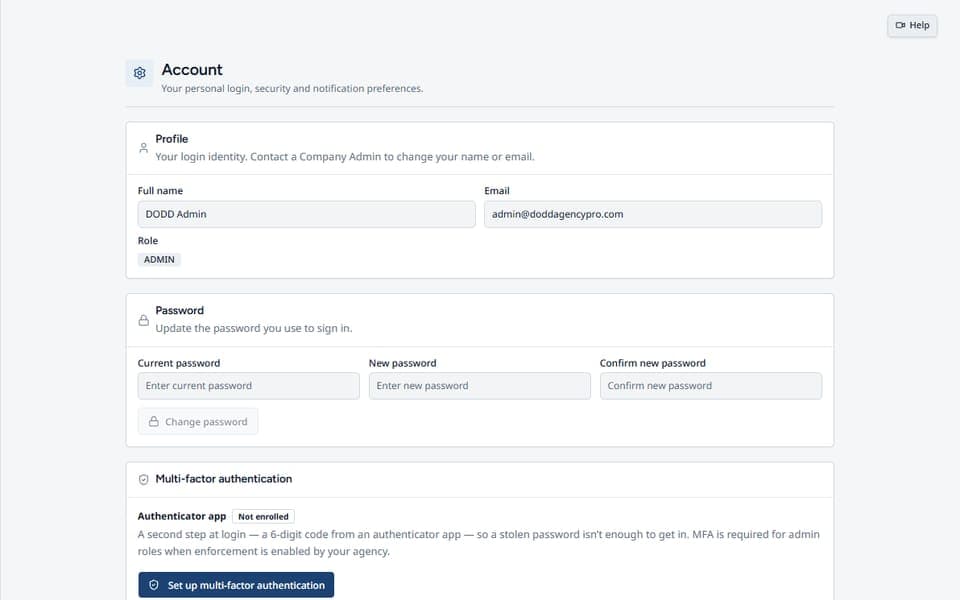
- Company profile & logo
- Renewal interval overrides
- Users & invites with permissions
- Security & billing settings
- Support tickets & Help Center
- Separate Day Program access right
- Separate Non-Medical Transportation right
Privacy-First by Design
Privacy-first architecture: client-related routes are feature-gated, tenant-scoped, and permission-controlled. Client Compliance Tracking encrypts names at rest, while other operational records rely on access controls unless a feature states otherwise.
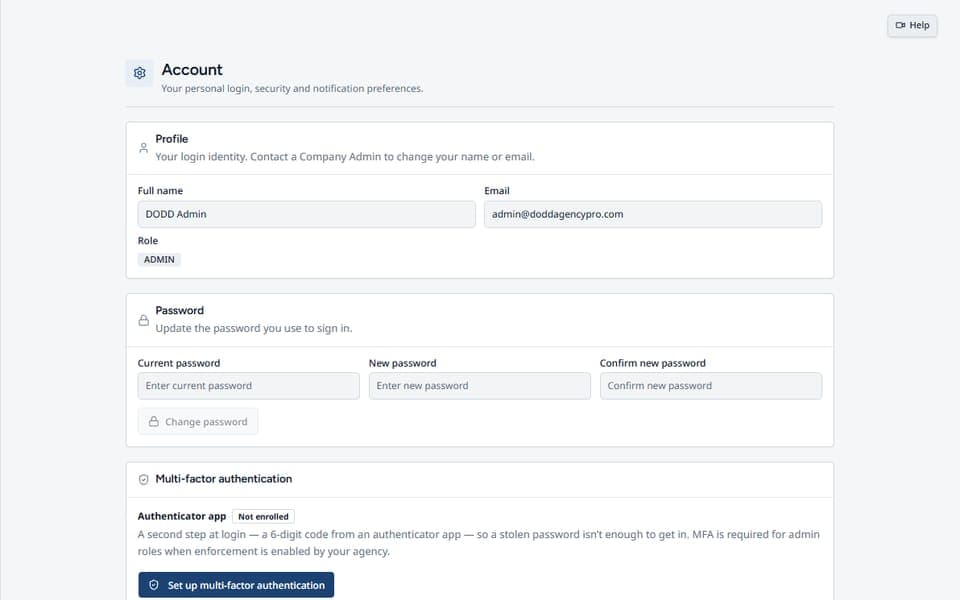
- Server-enforced feature gates
- Encrypted Client Compliance Tracking names
- Aggregate results where appropriate
- Per-agency access controls
- No click-past warning labels
- Tenant-scoped client routes
- Permission-controlled service workspaces
Dual Platform — Agency Owners & Private Providers
One platform, two provider paths. Whether you run a multi-staff DODD agency or operate as an independent / private provider, the same daily workflow, findings loop, and audit prep tools scale to your size — without forcing a one-size-fits-nobody setup.
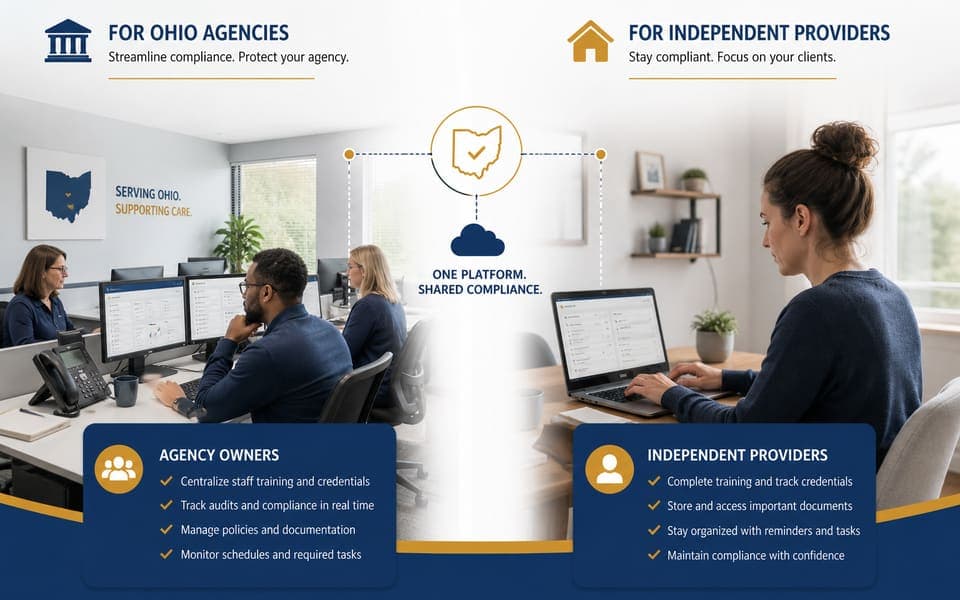
- Built for agency owners
- Built for private providers
- Same daily compliance path
- Scale from solo to team
- Shared audit-ready standards
- Role-based workspace access
- Tools that grow with the provider
About Us
Built by providers, for providers
We're a team of experienced Ohio DODD providers and technology experts who grew tired of the constant compliance struggle. We understand the challenges you face because we've faced them ourselves. We created DODD Agency Pro to be the tool we always wished we had.
Our Mission
About
To empower Ohio DODD providers with innovative tools that simplify compliance, reduce administrative burden, and allow more time to be spent on high-quality care.
Our Commitment
About
We are committed to providing accurate, up-to-date, and clear compliance information, helping you operate your agency with confidence and integrity.
FAQ
Frequently asked questions
Ready to simplify your compliance?
Transform your agency's operations, reduce risk, and free up valuable time. See pricing and get started today.